How to create a Slideshow
This tutorial will guid you through creating a Slideshow.
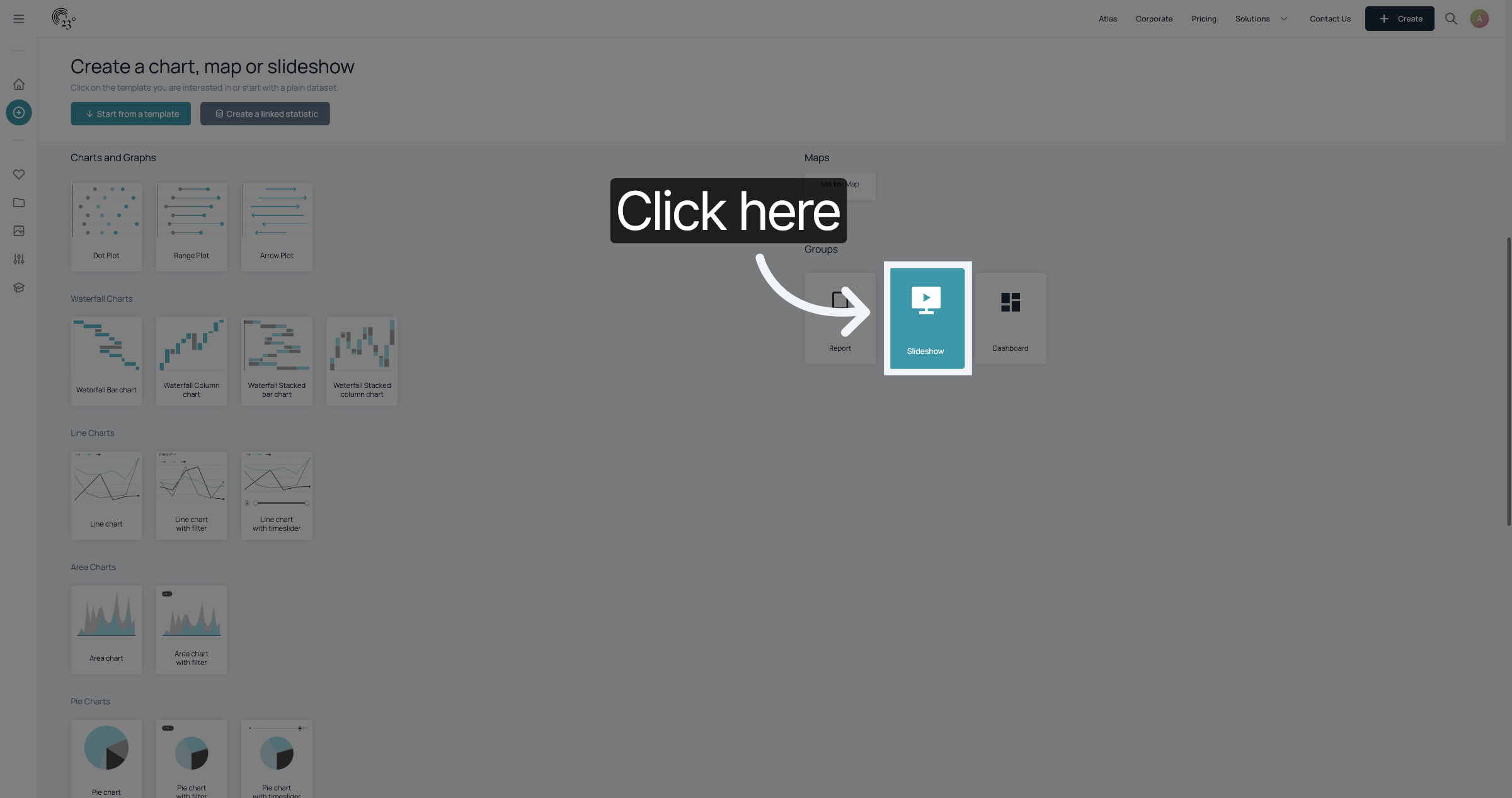
1. Select Slideshow
Click "Slideshow" in the Create dialogue
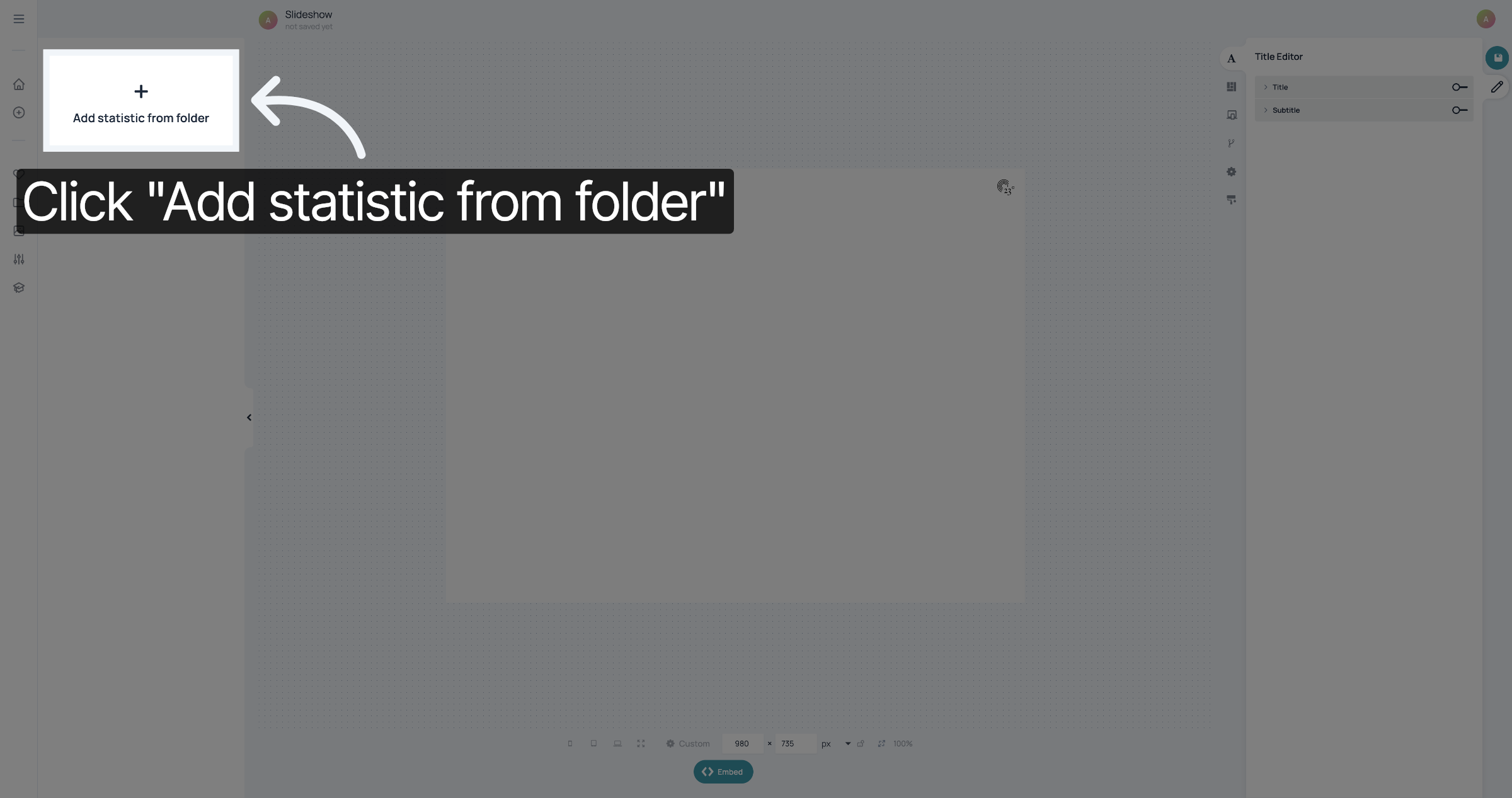
2. Add Statistics From Folder
At the left, click "Add statistic from folder"
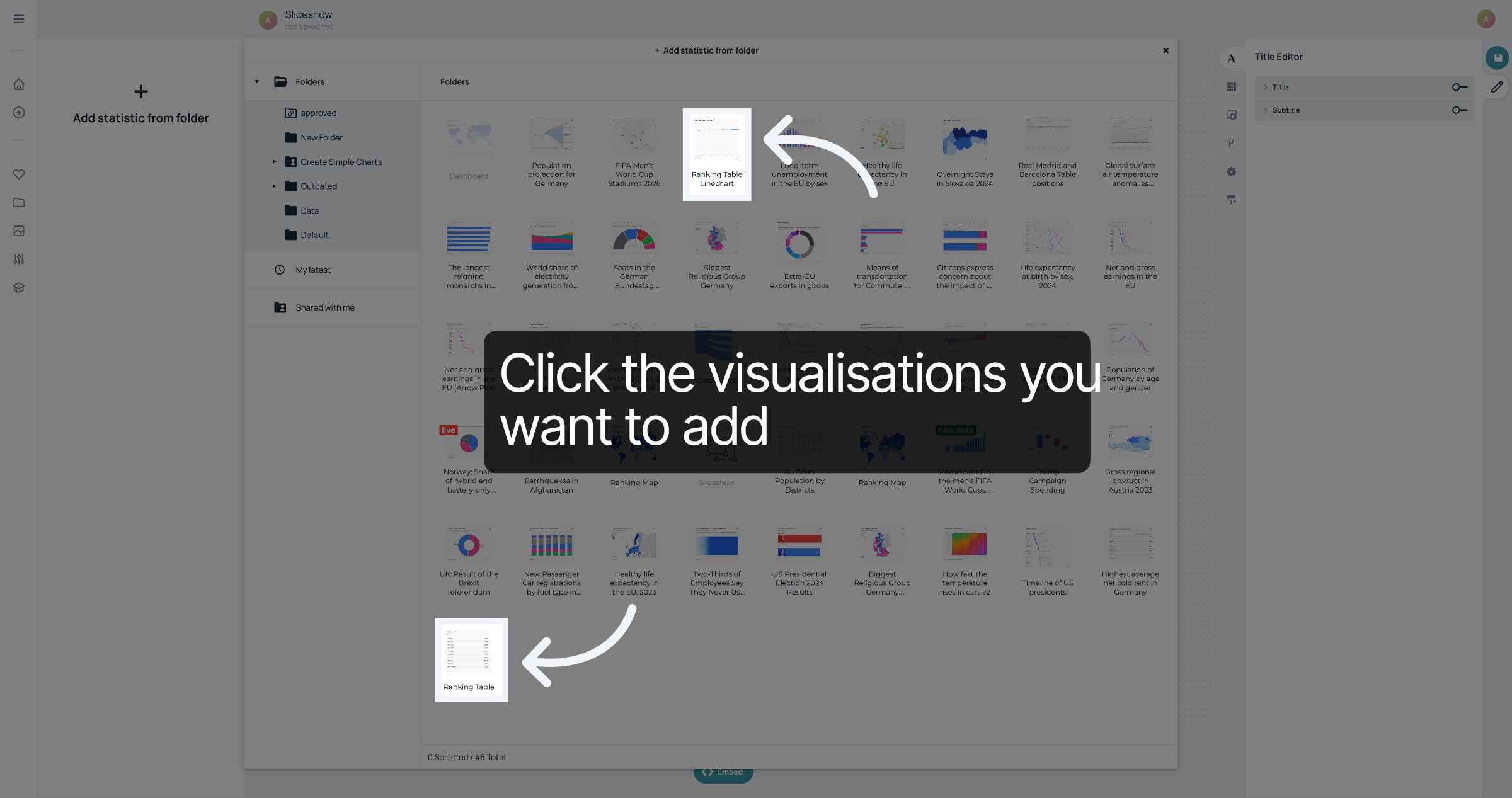
3. Select visualisations
Your Folders will open. Click on the visualisations you want to add.
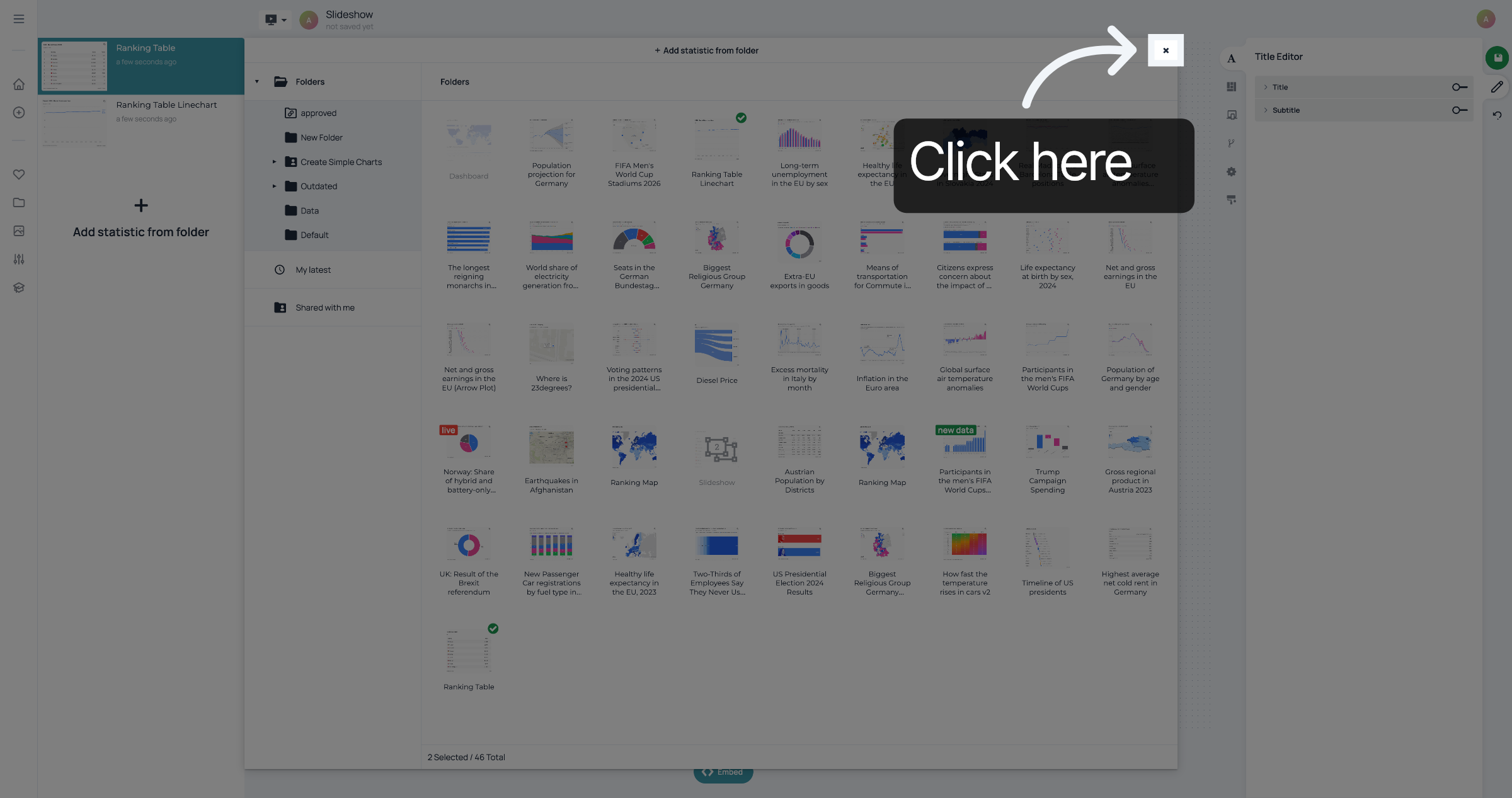
4. Close dialogue
Once you have selected all the visualisations you want to add, close the dialogue.
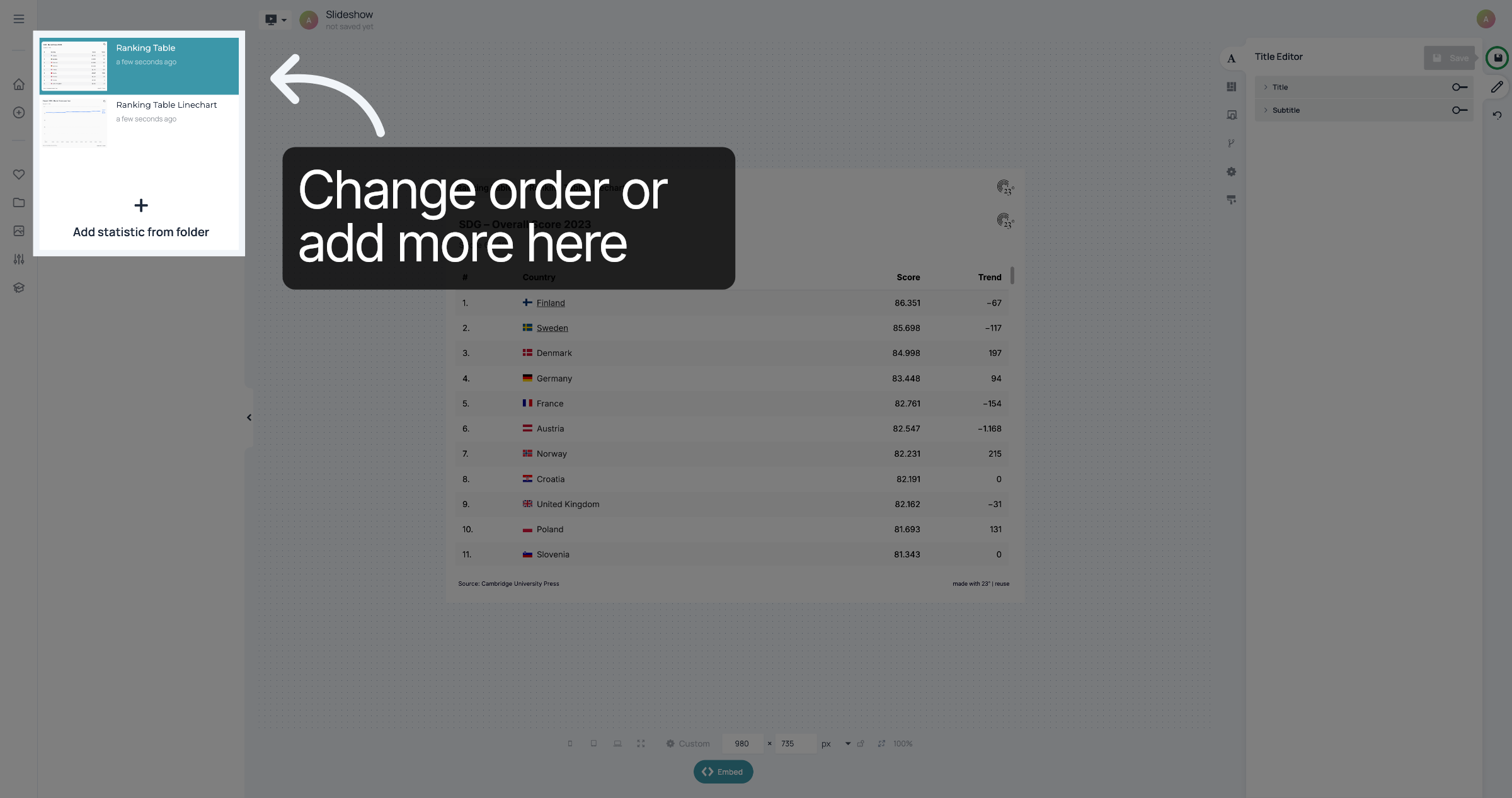
5. Change order or add more here
The statistics will be added in the order that you click them. If you want to change the order, you can do it by drag and dropping visualisations at the left. You can also add more statistics here.
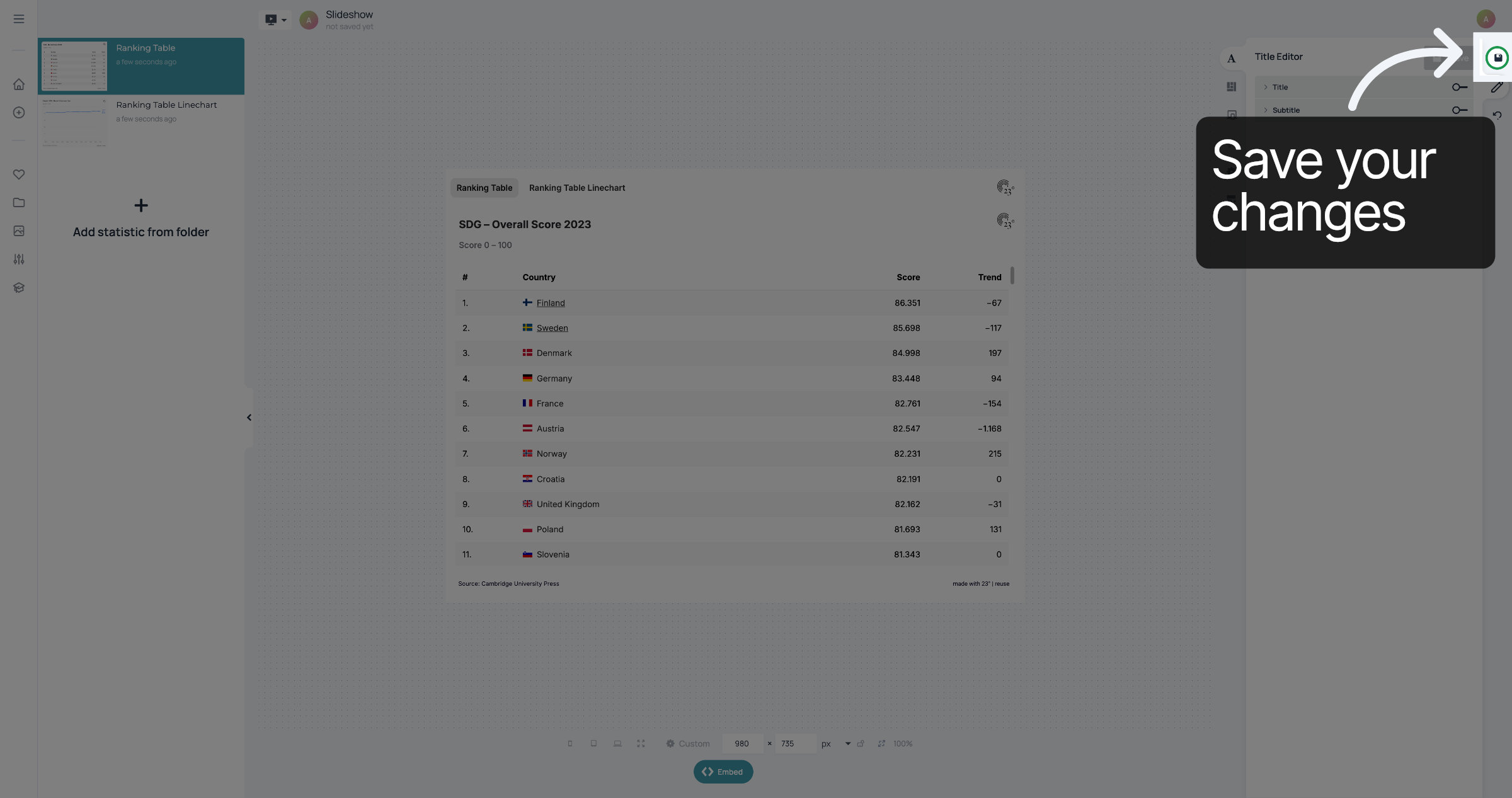
6. Save changes
Don't forget to save your changes.
You have successfully created a slideshow.