Set Default Template
This tutorial explains how to set a template as the default in the 23degrees application.
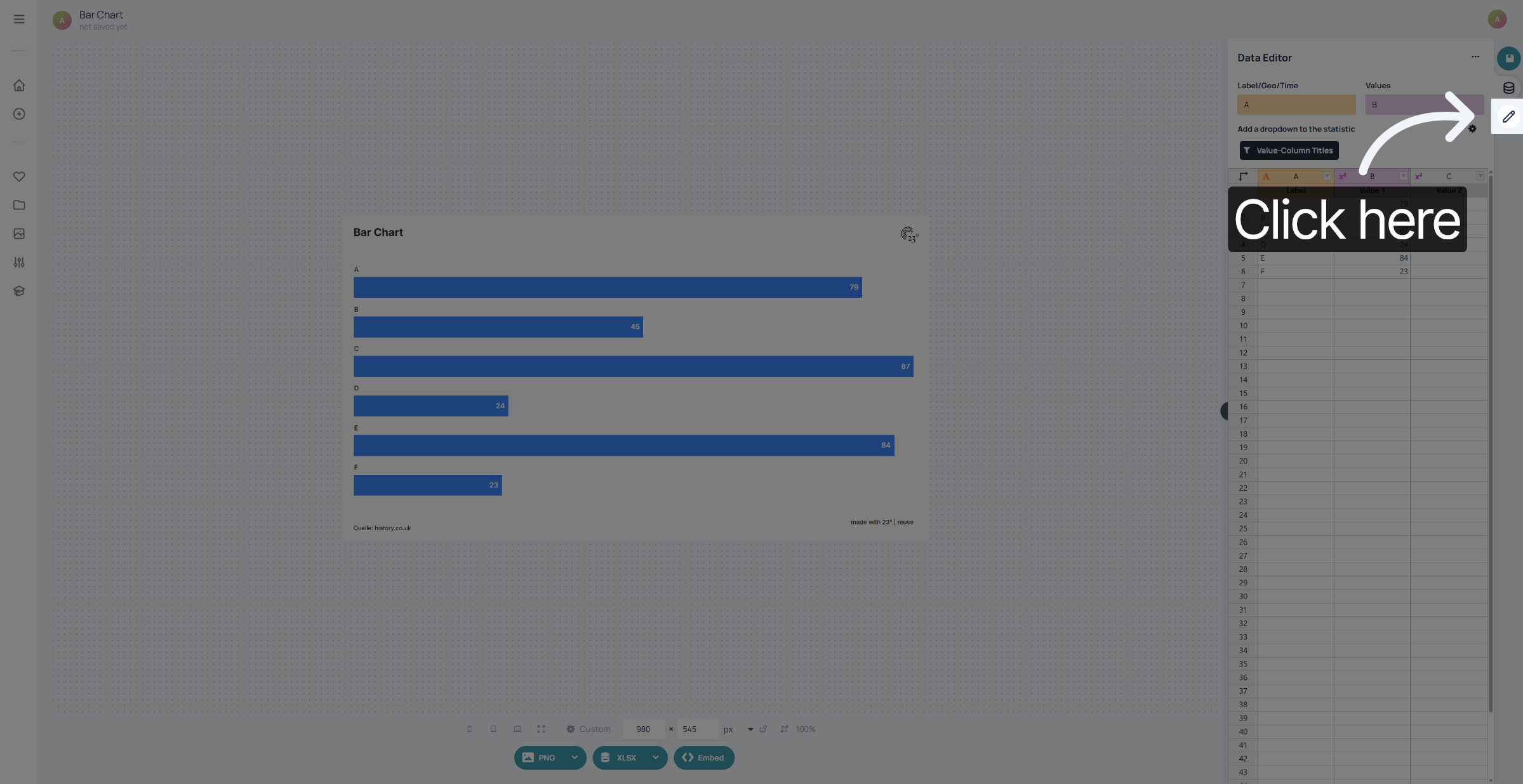
1. Open Chart Editor
Click here to open the chart editor menu where you can manage your templates.
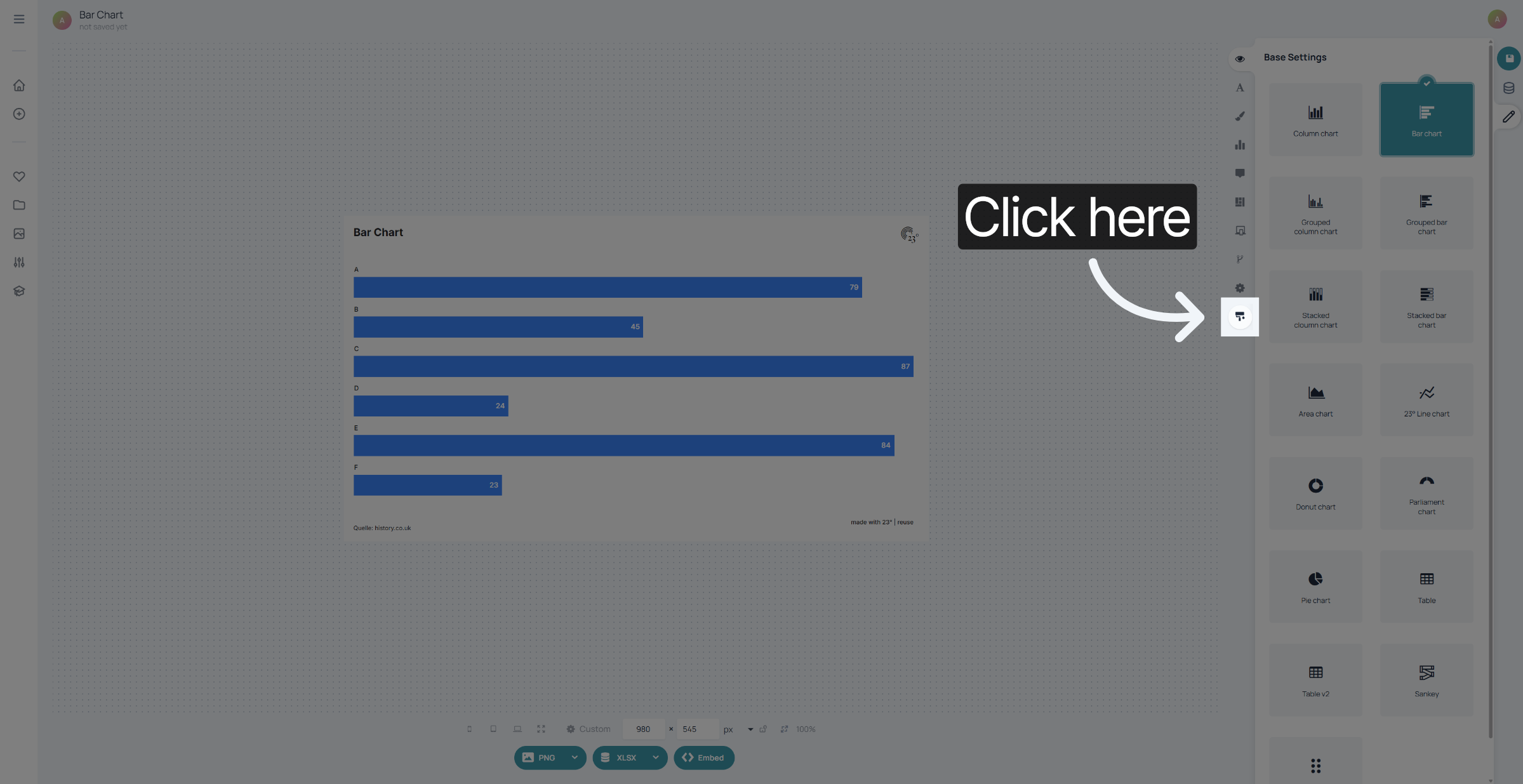
2. Template Editor
Click here to access the options available for templates in the application.
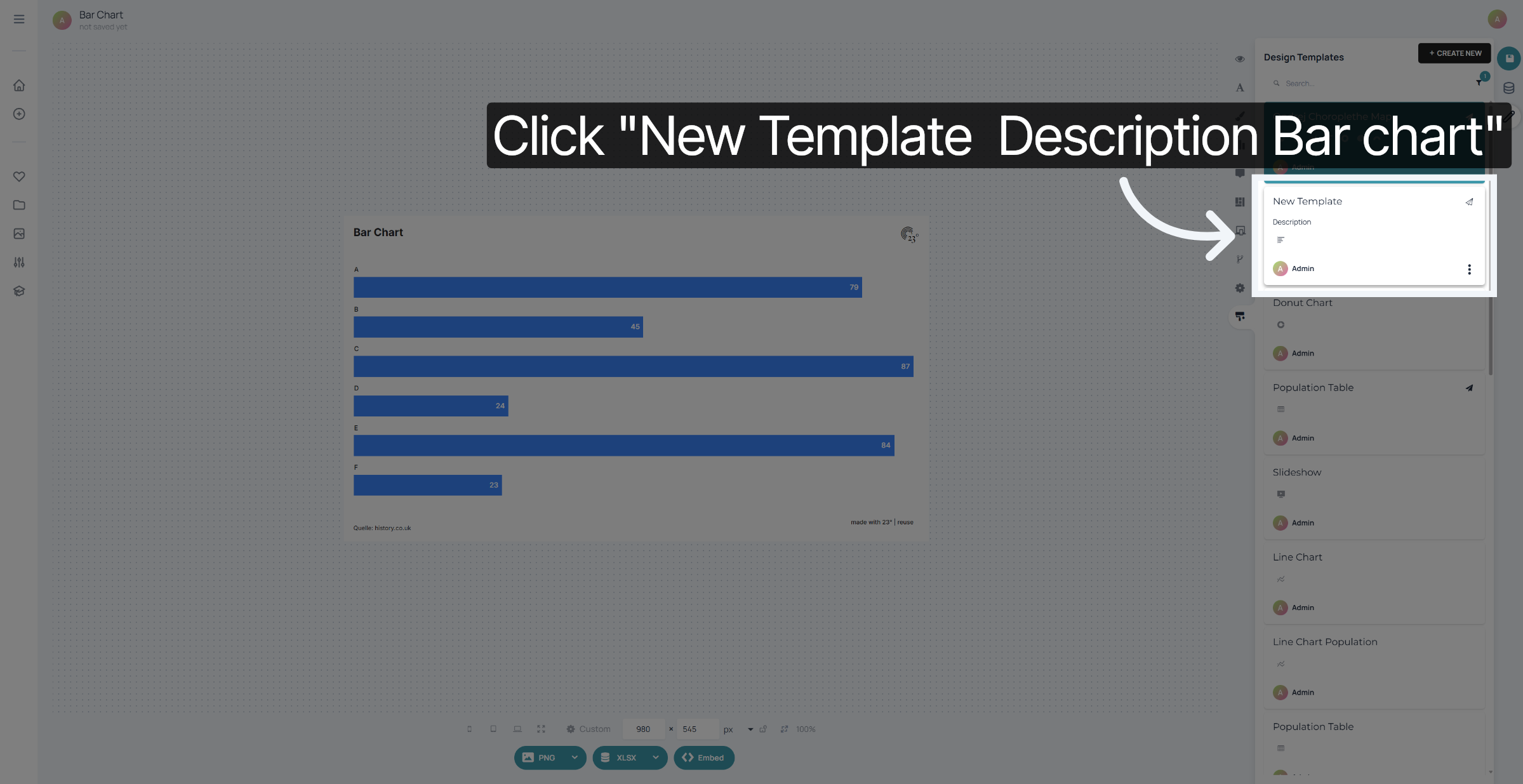
3. Select Desired Template
Select the template you want to set as your default template and...
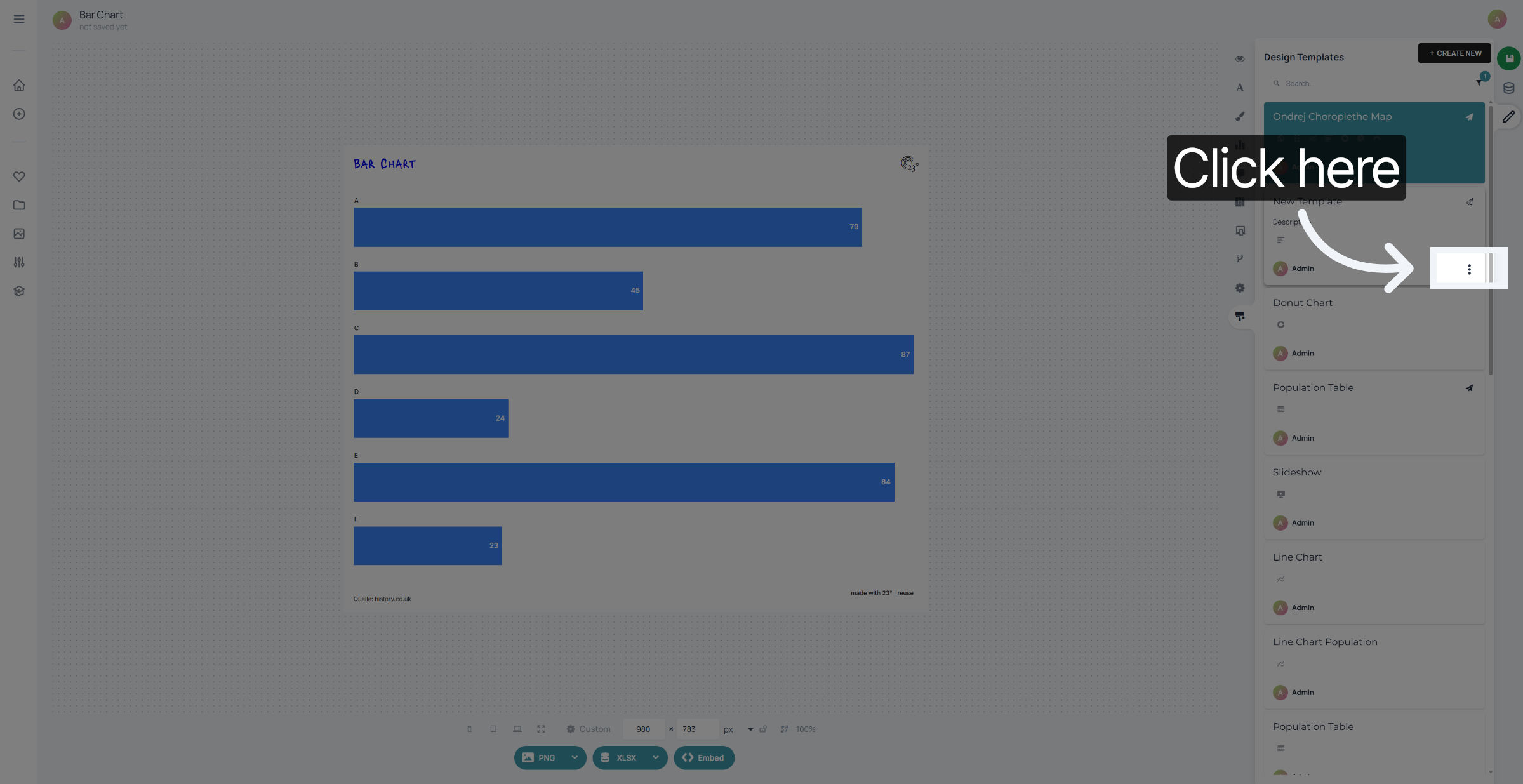
4. Template Options
click on the 3 dots in the bottom right corner.
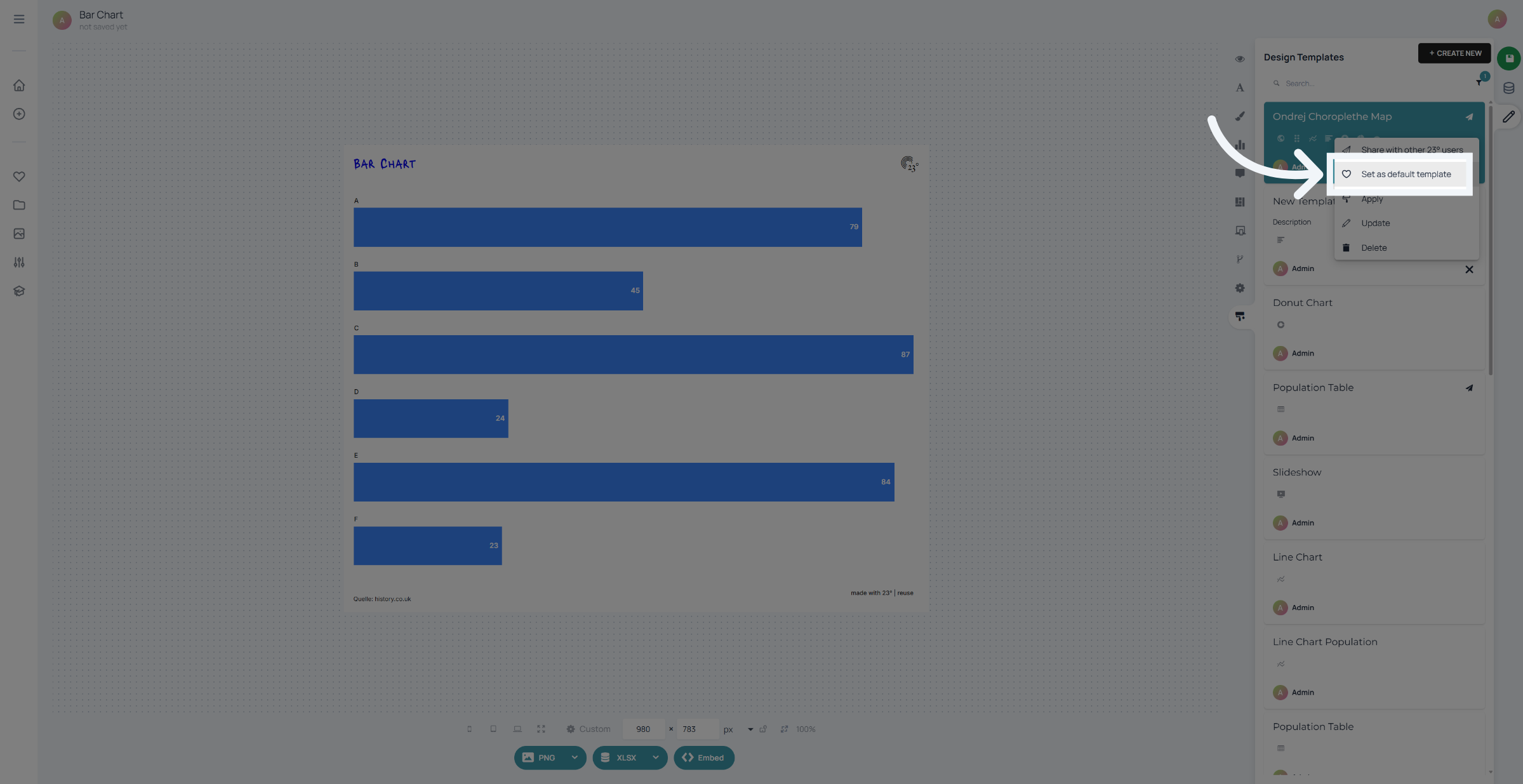
5. Confirm Default Template
Click "Set as default template" to confirm your selection and apply the template as default.
You have successfully set a template as the default in the 23degrees application. This ensures your preferred template is automatically applied for future use, streamlining your workflow.