Long and Wide Data Formats Explained
This tutorial explains the differences between long and wide datasets and what their pros and cons are.
In this example we have a wide format. One row per date, and each metric is its own column here. The pros of a wide data format are the easy readability like a spreadsheet which can be nice for simple static charts with few metrics. But there is also cons to the wide data format: it can become very messy when dealing with bigger datasets that have dozens of individual value columns and it can be very hard to build filters or colour your charts based on categories with this format.
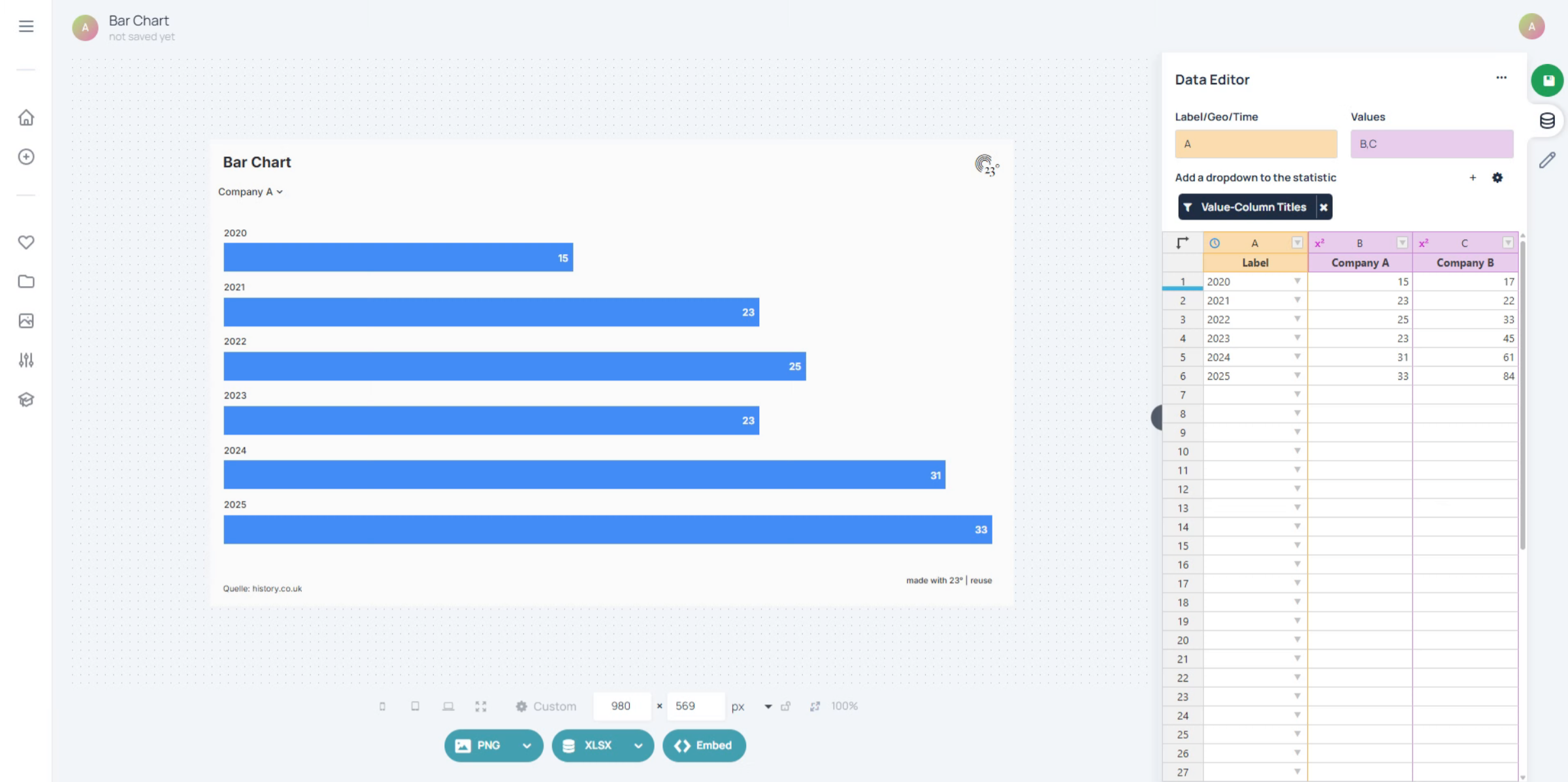
And this is the same Dataset in a Long Data Format. In this format we have each row as a date-metric pair where the metric name goes into a category column. The pros of this format are that it is perfect for chart interactivity. You can now build filters based on the category and also colour by it as well. This format also scales better when adding more entries: You can just append the new rows at the bottom. But there is also drawbacks: Its initially less readable as a classic spreadsheet wide format and depending on the number of datapoints you have, the dataset can become very big, very quickly.
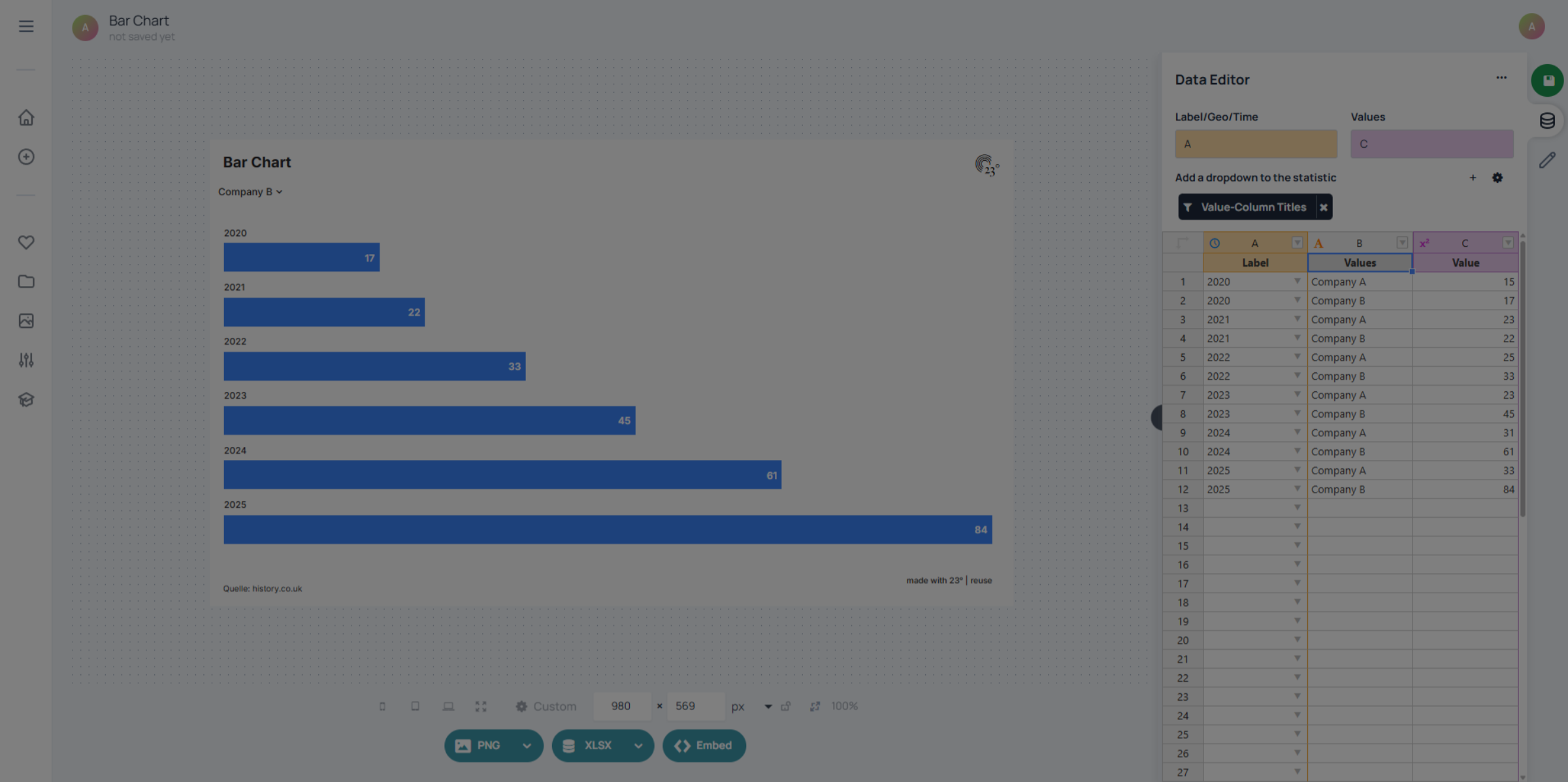
Remember: Wide Dater gives you that Excel feel whereas long feels more like real analytics. For interactivity long is most of the time your best friend.