Sort Data Efficiently In Data Editor
This tutorial demonstrates how to sort data within the data editor to organize your information effectively.
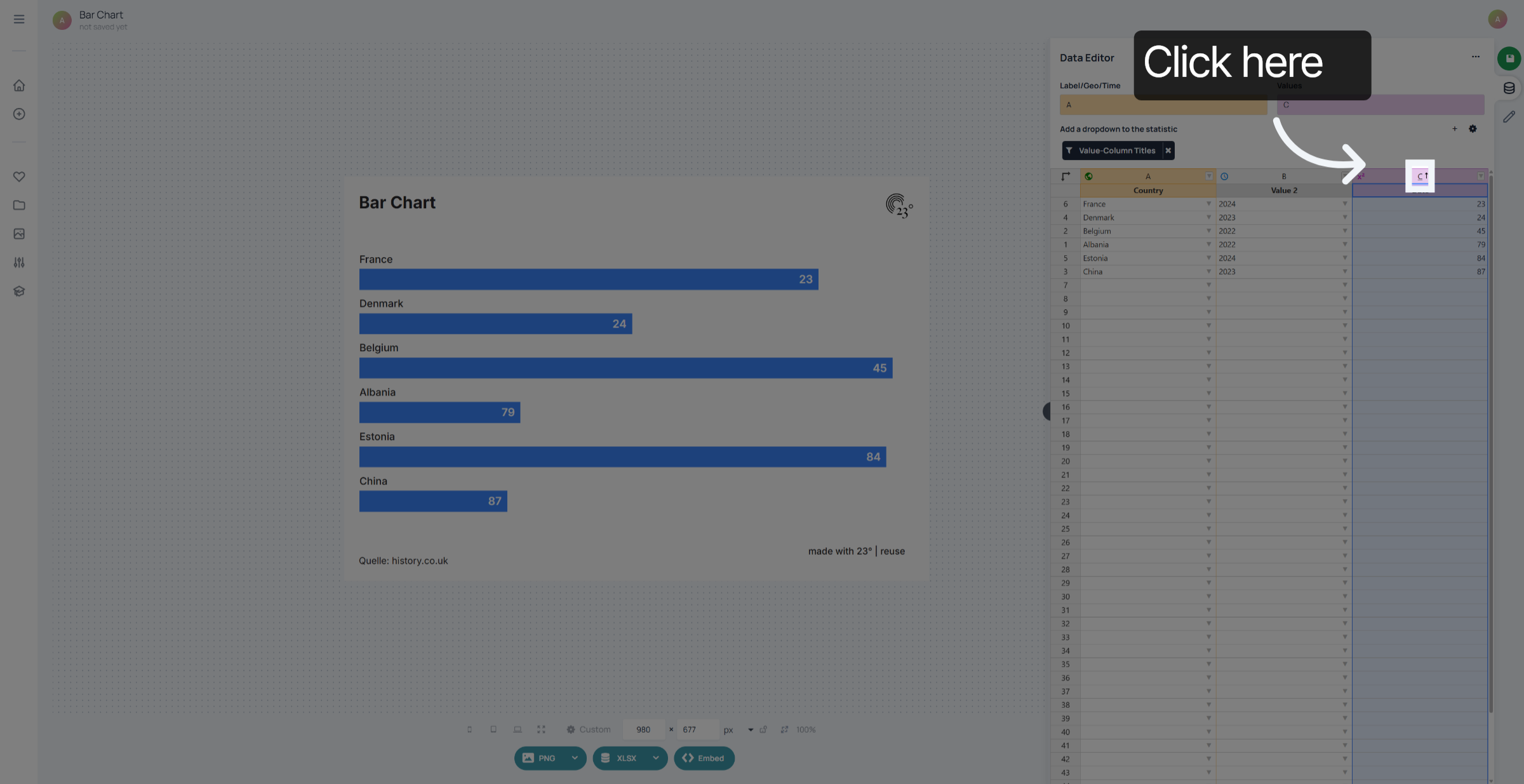
1. Value Column
To sort the Data in the Data editor click on the Column Index Labels. You can sort values by descending or ascending value.
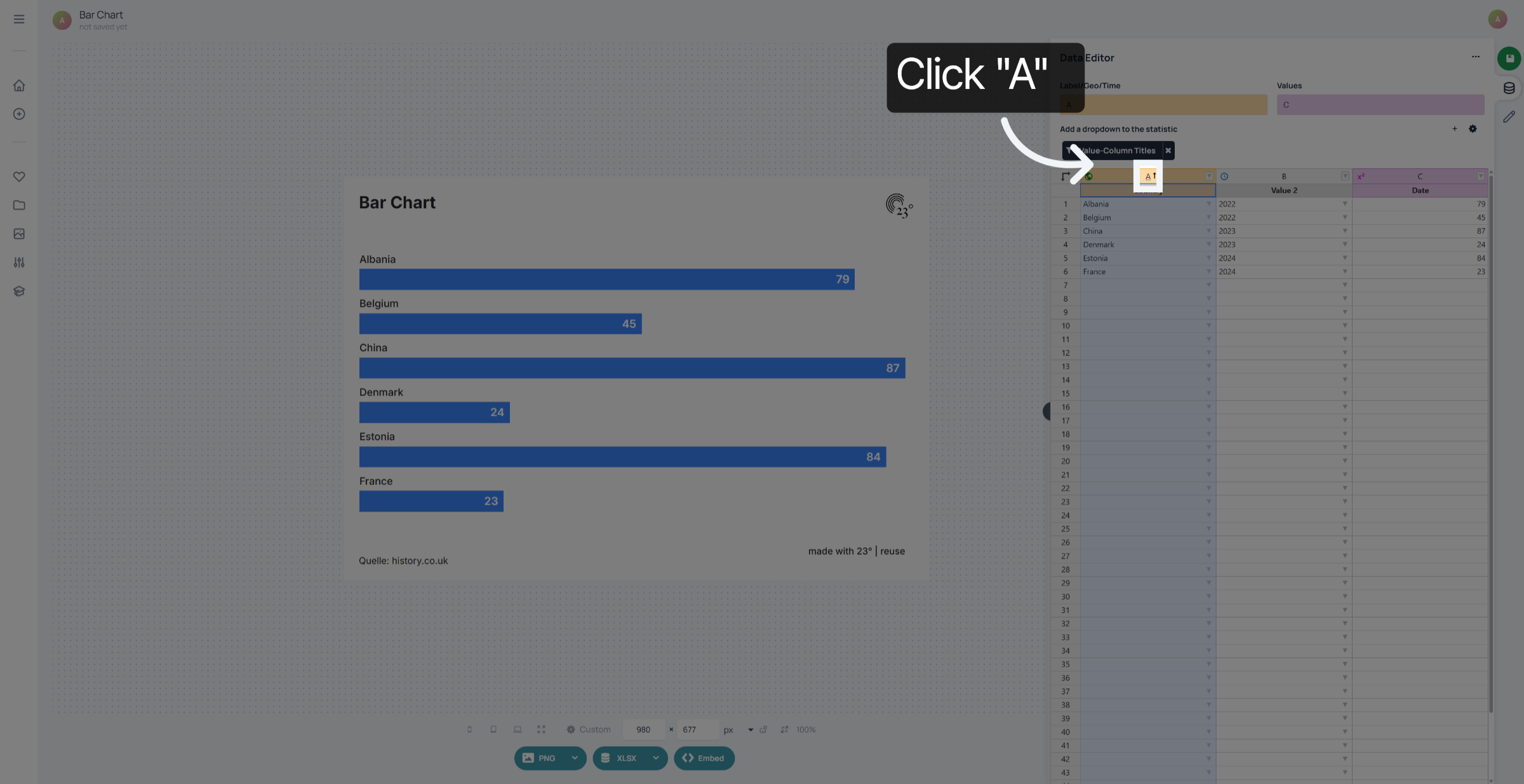
2. Text Column
Text Columns can be sorted alphabetically from top to bottom or bottom to top.
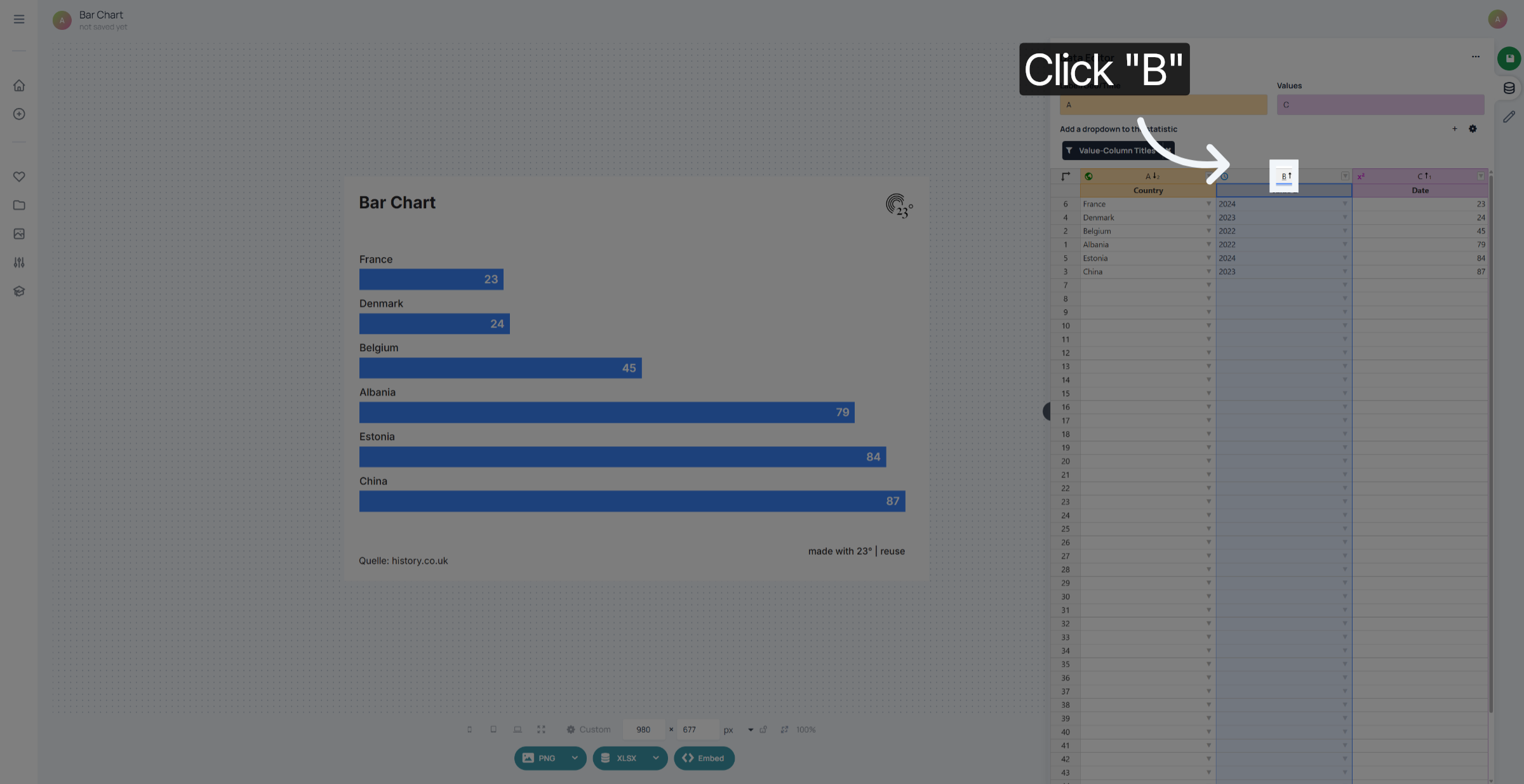
3. Date Column
Date Columns can be sorted sequentially ascending and descending as well.
You have successfully sorted data by selecting and cycling through Text, Value and Date columns to organize your dataset effectively.